OSCAL tool for your ISMS
Import OSCAL catalogs, keep them current and version them.
Complaica is an OSCAL tool for managing security requirements in the ISMS. Integrate catalogs from the BSI and NIST as well as OSCAL catalogs of your own. Complaica updates connected catalogs automatically and regularly from external sources such as GitLab. Changes are marked; existing evaluations and the audit trail are kept.
- 01Take over OSCAL catalogs with their controls and requirements
- 02See new, changed and removed requirements
- 03Trace catalog versions and go back when needed
- 04Keep evaluations across catalog versions
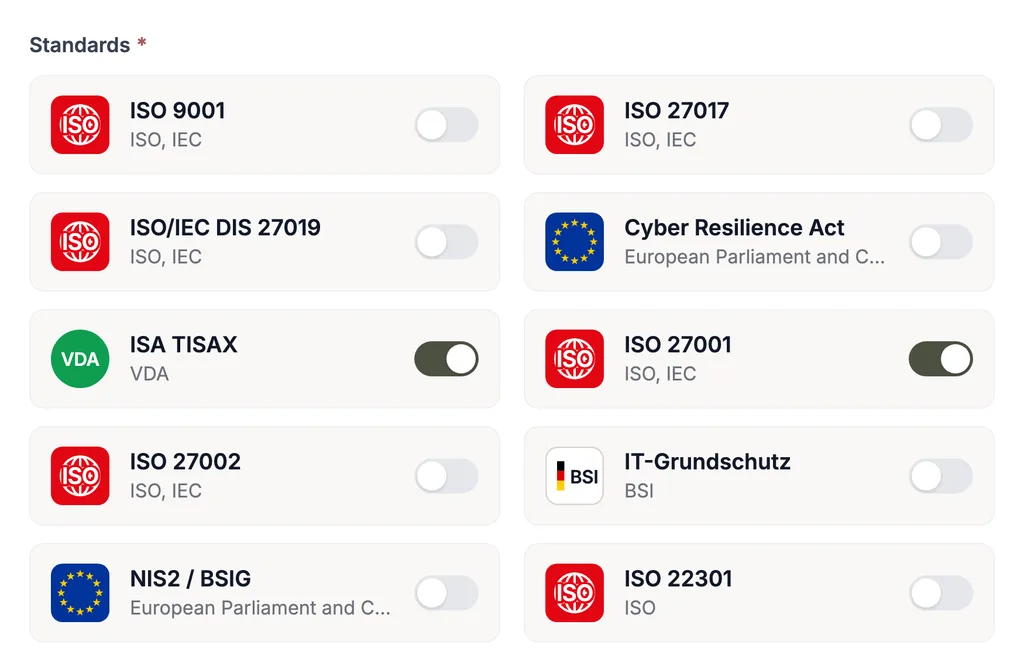
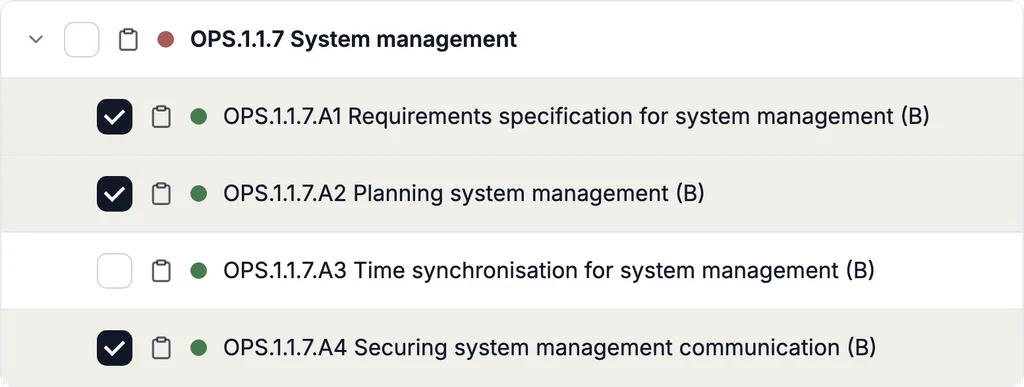
Import OSCAL catalogs and manage them in the ISMS
Complaica connects OSCAL catalog management with the evaluation of security requirements in the ISMS. Imported controls and requirements are available in structured form and can be worked on together with the requirements of other frameworks.
- 01Import an OSCAL catalog — from a released online source or as a catalog of your own
- 02Controls and requirements are ready for evaluation in the ISMS with their structure
- 03Importing again updates the same catalog instead of creating a second one
- 04Several catalogs work on one shared stock of processes, assets and risks
- 05Import and export OSCAL catalogs
Use the BSI’s and NIST’s catalogs together
If you work to more than one framework, you do not maintain several systems in Complaica: the official catalogs stand side by side and are evaluated on the same objects.
-
The BSI’s Grundschutz++ user catalog
The user catalog (Anwenderkatalog) of Grundschutz++ is imported as an OSCAL catalog from the BSI’s official source. How Complaica supports the methodology is shown on the IT-Grundschutz page.
-
NIST SP 800-53
NIST’s control catalog is available in the OSCAL format and is taken over as an OSCAL catalog.
-
One stock for both
Processes, assets and risks are recorded once and are available to both catalogs — and to further standards such as ISO 27001.
-
Use your OSCAL catalog in Complaica
Would you like to bring in a further OSCAL catalog? In the demo we check the import together and show you how to manage its requirements in Complaica.
Update OSCAL catalogs automatically
Publishers add, correct and remove. Complaica updates connected catalogs automatically and regularly from the external source in which they are maintained — a GitLab repository, for example.
- 01
Connect the source
The catalog is connected to its external source, for example a GitLab repository.
- 02
Take over the new catalog version
Complaica reads the source automatically and regularly and keeps every new state as a version of the catalog.
- 03
Review the changes
New, changed and removed controls and requirements are marked. Your team reviews precisely what the update touches.
Versioning and audit trail: evaluations are kept
After an update your team sees which requirements have changed. Existing evaluations and the history are kept. That makes it possible to check precisely which evaluations need adjusting.
-
Every catalog version stays traceable
An update does not overwrite the catalog; it creates a new version. Which state applied when can be traced at any time.
-
Going back to an earlier version
If a version does not fit, you reset the catalog to an earlier one.
-
New, changed, removed
Every control and every requirement that an update added, changed or removed is marked. Your team can review changes precisely and judge their effect on existing evaluations and linked objects.
-
Evaluations are kept
Existing evaluations are kept. Where the content of a requirement has changed, its validity should be reviewed again.
-
An audit trail without gaps
The audit trail of changes is not lost in an update. The history is there for the next audit as well.
Bring in OSCAL catalogs of your own
Group policies, supplier requirements or customer requirements are defined as a catalog of your own in the OSCAL format, loaded into Complaica and used in parallel with the official catalogs of the BSI and NIST.
- 01Define catalogs of your own in the OSCAL format and load them into Complaica
- 02Work with them in parallel with the official catalogs
- 03All frameworks draw on one shared stock of processes, assets, risks and vulnerabilities.
In Complaica’s ISMS software, IT-Grundschutz, ISO 27001 and NIS2 work on the same stock.
What is OSCAL?
OSCAL stands for Open Security Controls Assessment Language. The language, developed by NIST, describes security requirements, their implementation and assessments in standardised, machine-readable data models. An OSCAL catalog contains structured security requirements, known as controls. Complaica uses such catalogs as the basis for managing and evaluating requirements in the ISMS.
OSCAL connects to national and international standards — ISO 27001, NIST SP 800-53, IT-Grundschutz++ and further frameworks. Instead of Word files, Excel sheets or PDFs, requirements are available as structured data; that lowers maintenance effort, error-proneness and version confusion.
From requirements to review: a simplified OSCAL context
- 01
Catalogs
Requirements
Subject-matter experts work out the requirements and publish them as a catalog.
- 02
Profiles
Tailoring
An OSCAL profile selects controls from one or more catalogs and adapts them to a particular context of use.
- 03
Measures
Implementation
Information security officers and administrators implement the requirements in the organisation.
- 04
Reviews
Audit
Internally by the security officer and administration, externally by auditors and certification bodies.
Frequently asked questions about the OSCAL tool Complaica
What does an OSCAL tool do?
An OSCAL tool processes security requirements or other compliance data in the OSCAL format. Which functions it offers depends on the tool. Complaica imports and exports OSCAL catalogs, updates connected catalogs regularly and makes the changes between their versions visible.
Which OSCAL catalogs can I use in Complaica?
The BSI’s Grundschutz++ user catalog, NIST SP 800-53 and catalogs of your own in the OSCAL format — group policies, supplier requirements or customer requirements, for example. Whether a further catalog fits is something we clarify with you in the demo.
How are OSCAL catalogs updated?
The catalog is connected to an external source, for example a GitLab repository. Complaica takes over new states automatically and regularly as a new catalog version and marks new, changed and removed controls and requirements.
What happens to existing evaluations in an update?
Existing evaluations are kept, and so is the audit trail of changes. Where the content of a requirement has changed, its validity should be reviewed again — the marks show which ones those are.
Can I go back to an earlier catalog version?
Yes. Every catalog version is kept. If an update does not fit, you reset the catalog to an earlier version.
Can I use OSCAL catalogs of my own?
Yes. You define the catalog in the OSCAL format, load it into Complaica and use it in parallel with the official catalogs of the BSI and NIST.
Do several catalogs use the same assets and risks?
Yes. All frameworks draw on one shared stock of processes, assets, risks and vulnerabilities. An asset or a risk is recorded once and is available to every catalog.
See OSCAL catalog management live
See how import, automatic updates and versioning work together. Using your catalog, we show you how changes become visible and existing evaluations are kept.
Thank you.
We will get back to you within one business day.
Not sent.
That did not work. Please check the fields or email us directly.